If you run a small business, you already understand the reality: you’re not just the founder. You’re the CEO, accountant, customer support agent, logistics manager, and digital marketer—all at once.
Professional product photography can cost anywhere between $500 and $5,000 per shoot. On the other hand, generic AI image tools often produce visuals that don’t reflect your real brand identity.
That’s where Pomelli comes in.
Developed as an experimental AI marketing platform under Google Labs and Google DeepMind, Pomelli is purpose-built to solve what many small-to-medium-sized businesses (SMBs) call the “blank canvas” problem.
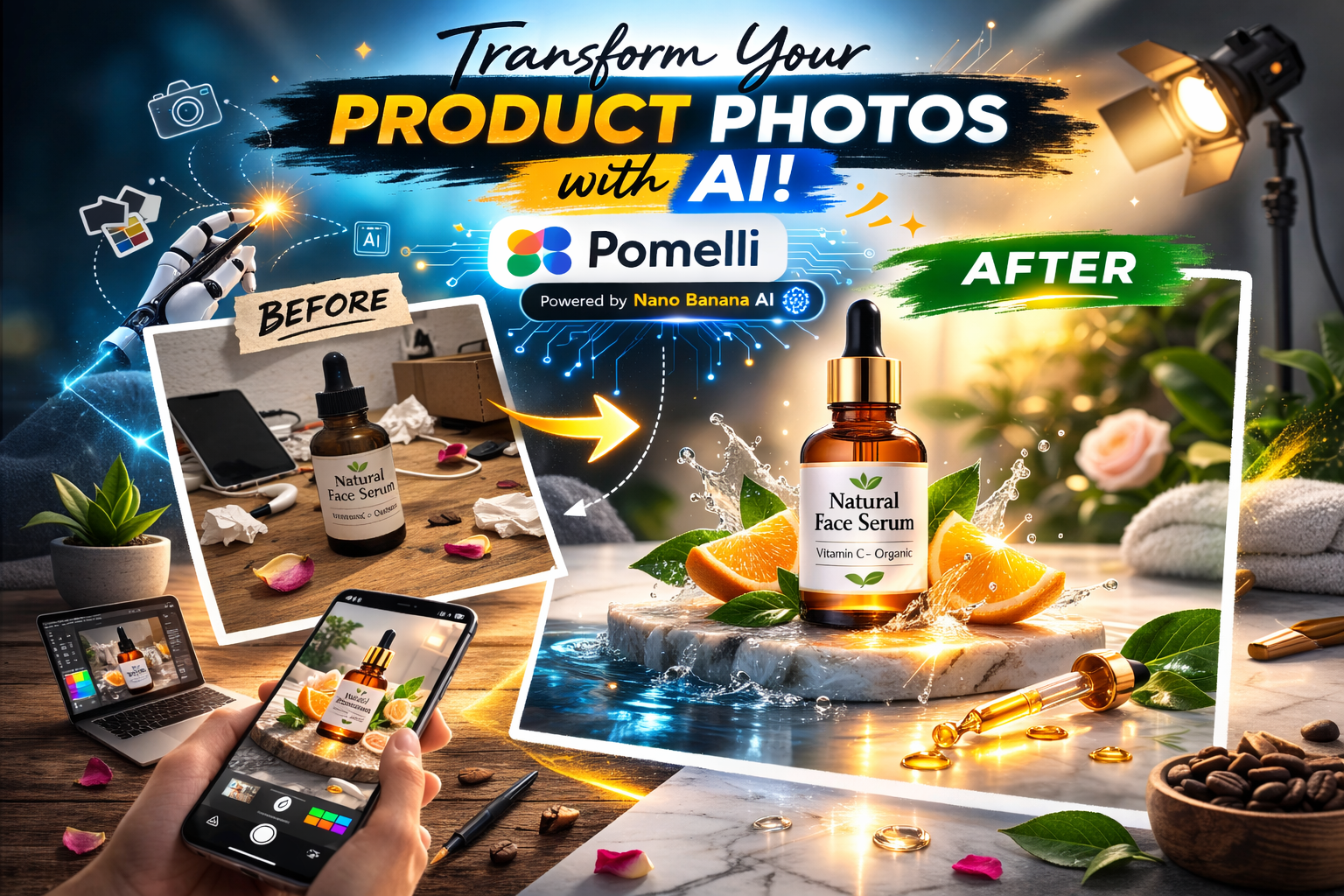
Now, Google is rolling out a major upgrade to the platform: Photoshoot—a feature designed to transform ordinary smartphone product photos into professional, studio-quality marketing assets.
Let’s break down how it works, why it matters, and how you can start using it immediately.
The Core Innovation: “Business DNA”
Before diving into the new Photoshoot feature, it’s important to understand what makes Pomelli fundamentally different from traditional AI tools like Midjourney or ChatGPT.
Pomelli is built around a proprietary concept called Business DNA.
Instead of asking you to write prompts, Pomelli begins by analyzing your website. You simply paste your website URL into the platform. The system automatically crawls your site and extracts your brand’s core identity elements, including:
- Exact hex color codes
- Typography and font hierarchy
- Brand tone of voice (formal, playful, premium, minimalist, etc.)
- Visual style and aesthetic patterns
This information is compiled into a persistent Business DNA profile.
From that point forward, every image, advertisement, and social caption generated by Pomelli aligns strictly with this profile. The result? You avoid the “Frankenstein effect,” where your social posts look inconsistent or disconnected from your actual brand.
Deep Dive: The New “Photoshoot” Feature
The newly released Photoshoot feature addresses one of the biggest pain points for SMBs: turning imperfect product photos into professional-grade assets.
This functionality is powered by Google’s Nano Banana image model—the same advanced image engine that enables high-fidelity editing, object consistency, and identity preservation.
Here’s what it can do:
1. Studio-Grade Lighting Enhancement
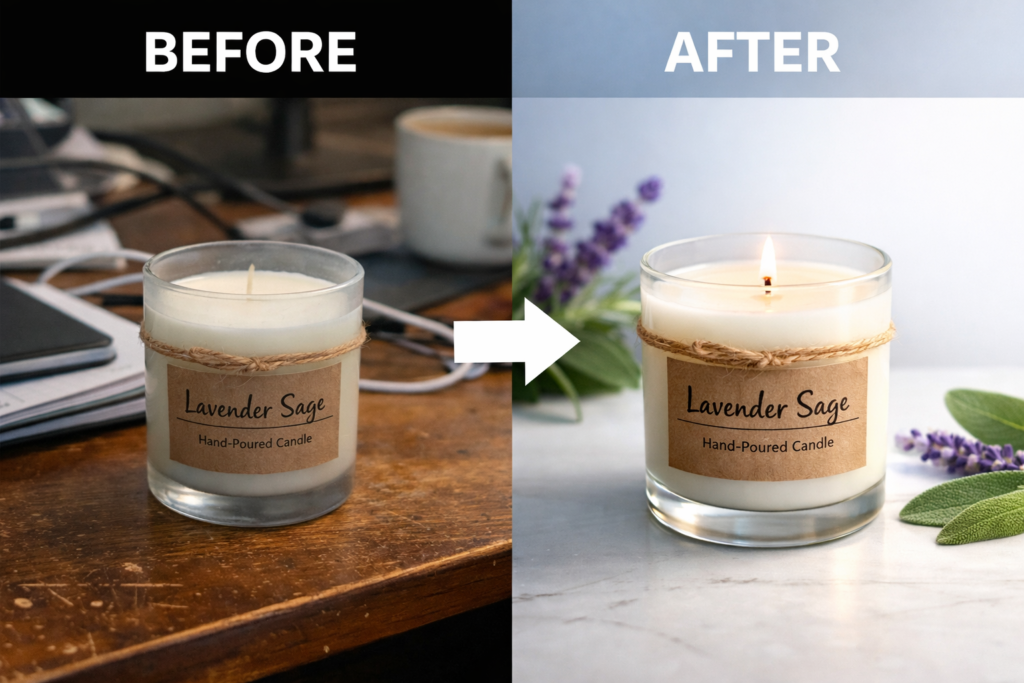
Upload a flat, poorly lit smartphone photo—for example, a handmade candle sitting on your desk. Photoshoot automatically corrects shadows, balances exposure, enhances highlights, and simulates professional studio lighting.
2. Contextual Background Replacement
You can instruct the system to:
- “Place this coffee mug on a modern marble kitchen counter”
- “Change the background to a sunlit forest”
The AI seamlessly integrates your real product into the new environment while preserving shape, texture, and brand details.
3. Style Reference Matching
If you have a Pinterest board or aesthetic inspiration image, upload it as a reference. Pomelli can restyle your product photo to match the mood, color grading, and composition of the reference while keeping your product intact.
The key advantage here is identity retention. Your product still looks like your product—not a generic AI version of it.
Building a Campaign in 4 Simple Steps
Pomelli is intentionally designed for business owners who don’t want to become prompt engineers.
Step 1: Pick a Product
Upload any image of your product. It doesn’t have to be perfect—bad lighting and messy backgrounds are acceptable.
Step 2: Choose a Template
Select from curated templates such as:
- Studio
- Lifestyle
- E-commerce White
Alternatively, Pomelli can recommend templates automatically based on your Business DNA.
Step 3: Generate & Ground via URL
To create a full marketing campaign, paste your product URL into the prompt field. Pomelli pulls the product title and description directly from your website to generate:
- Social media captions
- Ad headlines
- Promotional copy
This ensures messaging alignment with your actual product listings.
Step 4: Refine & Download
Pomelli functions like a smart visual canvas. You can:
- Edit generated text
- Replace images
- Adjust layouts
- Add or modify Call-to-Action buttons
Once finalized, download the assets and publish them across your marketing channels.
Why This Is a Major Breakthrough for SMBs
Historically, high-quality content creation has been expensive and time-intensive. Local businesses—cafés, boutique stores, handmade craft sellers—have typically faced two options:
- Use amateur smartphone photos
- Pay thousands to professional photographers or creative agencies
Pomelli bridges that gap.
By combining automated brand extraction (Business DNA) with advanced image editing (Nano Banana), a solo entrepreneur can generate a month’s worth of cohesive, brand-aligned marketing assets in approximately 10 minutes.
This significantly lowers the barrier to professional-grade digital marketing.
Frequently Asked Questions
Who can use Pomelli?
Pomelli is currently available as a free public beta in the United States, Canada, Australia, and New Zealand. It is designed specifically for local businesses, e-commerce brands, and solo creators.
Does it cost anything?
No. As an experimental platform under Google Labs, it is currently free to use.
Does Pomelli publish directly to social media?
Not yet. Pomelli focuses on content creation only. You must manually download the generated assets and upload them to platforms like Instagram, Facebook, or your email marketing software.
Can it create video content?
Yes. While Photoshoot focuses on static image enhancement, Pomelli has integrated Google’s Veo model. This allows users to animate assets and generate short marketing videos.
Leave a Reply